In this section
- FAQ and troubleshooting Answers to common questions: signing in, uploads, search, agents, data and privacy.
- Chat and agents How PHOENIQS Chat stores its files in Data Pools, how agents connect to your pools, and the tools they get.
- Access Private and Organisation pools, adding members, deleting a pool, and the Pool overview for admins.
- Tables How uploaded spreadsheets become tables that agents can filter and total.
- Bulk and API uploads Uploading many files in the browser, and uploading from a script with an API token.
- Documents Uploading documents to a pool, duplicates and retries, how documents are read and indexed, and testing what a search returns.
- Pool types The pool types, named by where their content comes from, and what each is for.
- Subscriptions The Data Pool Dedicated plan, additional storage, and what each includes.
- Quick Start Four steps from signing in to an agent answering from your own documents.
Overview
PHOENIQS Data Pools turns your documents and data into knowledge that AI assistants and agents can search. You collect content in pools: documents, presentations, spreadsheets and scans you upload. Data Pools reads it, indexes it and describes it, and agents query it through one read-only connection.
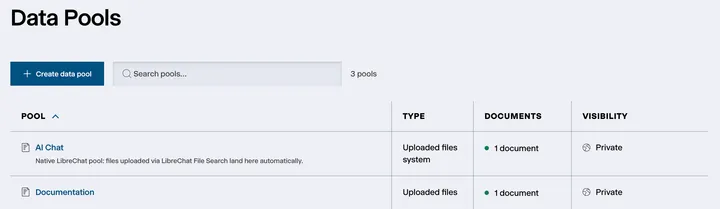
Data Pools is the knowledge layer behind PHOENIQS Chat. Files you add to a chat for file search are stored and indexed in Data Pools as well, in a pool of their own.
Why it matters
Most AI assistants answer from the files attached to one conversation, uploaded by one person. Company knowledge rarely looks like that. It sits in spreadsheets, scanned contracts and invoices, and databases; it belongs to teams rather than individuals; and who can read it has to be controlled and provable.
- Access is enforced by the database. Every request runs as the signed-in user, and the database itself only returns the pools that user owns, is a member of, or that are open to their organisation. An error in the application cannot widen that.
- More than text search. Documents are searched by meaning and by keyword at once. Spreadsheets also become tables, queried with typed filters and totals, so agents can answer questions such as "how many orders between these two dates".
- Scans and pictures are read, not skipped. Scanned pages are read by OCR, images by an AI vision model, and diagrams and photos inside documents get a description, so their content can be found.
- Agents know what is there before they read it. Every document and table gets an AI-written description and metadata, such as the people, organisations, topics, places and timeframe it covers, so an agent can pick the right source.
- Read-only for agents. Agents can search and query, but never change or delete anything. Uploads and administration happen in the Data Pools app.
- Swiss AI processing. The indexing, OCR and descriptions run on the PHOENIQS AI Model Service in Switzerland. Which model does what is listed under AI models used.
The app
Open a pool, and it has up to four sections:
Pool types
A pool's type is where its content comes from:
See Pool types.
Storage and limits
- Storage. Your Data Pool has one storage limit, shared by everyone who uses it: the 100 GB included in Data Pool Dedicated, plus any additional storage. It covers uploaded files, by their original size, and the tables built from them. See Subscriptions.
- When the storage is full, uploads are refused with "This datapool's storage is full" and how much is used, until documents or tables are deleted or more storage is added.
- Files can be up to 1 GB each.
- Many files at once: see Bulk and API uploads.