
#
PHOENIQS Data Pools
#
Overview
PHOENIQS Data Pools turns your documents and data into knowledge that AI assistants and agents can search. You collect content in pools: documents and scans, CSV tables, a connected database or a SharePoint site. Data Pools reads it, indexes it and describes it, and agents query it through one read-only connection.
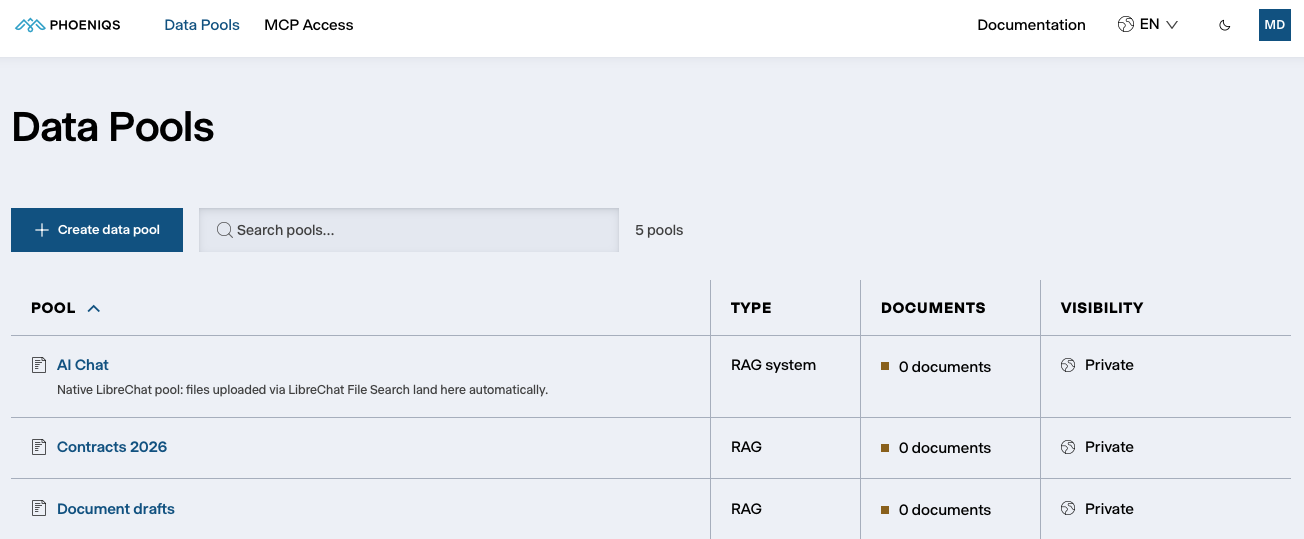
Data Pools is the knowledge layer behind PHOENIQS Chat. Files you add to a chat for file search are stored and indexed in Data Pools as well, in a pool of their own.
#
Why it matters
Most AI assistants answer from the files attached to one conversation, uploaded by one person. Company knowledge rarely looks like that. It sits in spreadsheets, scanned contracts and invoices, and databases; it belongs to teams rather than individuals; and who can read it has to be controlled and provable.
- Access is enforced by the database. Every request runs as the signed-in user, and the database itself only returns the pools that user owns, is a member of, or that are open to their organisation. An error in the application cannot widen that.
- More than text search. Documents are searched by meaning and by keyword at once. Tables and connected databases are queried with typed filters and totals, so agents can answer questions such as "how many orders between these two dates".
- Scans are read, not skipped. Scanned PDFs and images are read by an AI vision model. Invoices and forms come out as fields, tables and line items, with a confidence score.
- Agents know what is there before they read it. Every document and table gets an AI-written description and metadata, such as the people, organisations, topics, places and timeframe it covers, so an agent can pick the right source.
- Read-only for agents. Agents can search and query, but never change or delete anything. Uploads and administration happen in the Data Pools app.
- Swiss AI processing. The indexing, OCR and descriptions run on the PHOENIQS AI Model Service in Switzerland.
#
The app
Open a pool, and it has up to four sections:
#
Pool types
See Pool types for when to use each. SharePoint pools are not available on Data Pool Dedicated yet.
#
Storage and limits
- Storage. Your Data Pool has one storage limit, shared by everyone who uses it: the 100 GB included in Data Pool Dedicated, plus any additional storage. It covers uploaded documents, by their original size, and imported CSV tables. Files in SharePoint pools do not count, because they stay in SharePoint. See Subscriptions.
- When the storage is full, uploads are refused with "This datapool's storage is full" and how much is used, until documents or tables are deleted or more storage is added.
- Documents can be up to 1 GB per file, CSV files up to 25 MB.