
#
Company
Company settings are the agents, rules, skills and repository catalog your company shares across all its workspaces. They live in a Git repository, and each workspace checks out its own copy of it, following a channel you choose.
#
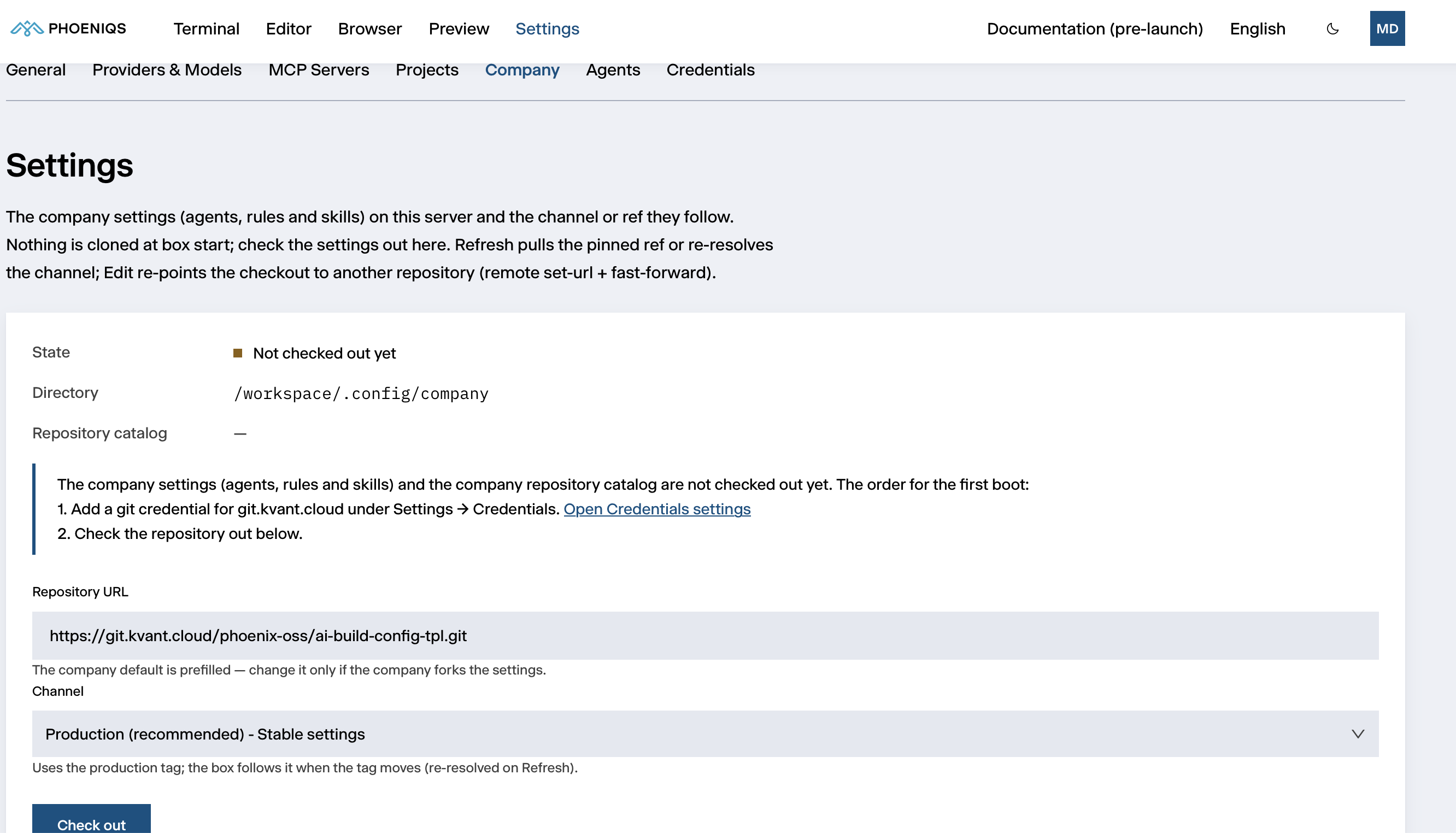
Checking out the company settings
Company settings are not loaded until you check them out:
- Go to Settings → Company.
- Leave the prefilled Repository URL, unless your company uses its own repository (see below).
- Choose a Channel. Production (recommended) suits almost everyone.
- Click Check out.
The checkout runs in the background and reports Checked out successfully.
The panel then shows its State, the Directory it lives in
(/workspace/.config/company), the size of the Repository catalog and the
Version you are on.
When changes take effect
Tools (MCP servers) from the company settings apply immediately. Agents, rules and skills take effect the next time the workspace starts.
#
Channels
Your workspace follows its channel rather than staying on a snapshot. Click Refresh to bring it up to date: it reports Updated with the old and new version, or Already up to date. To change channel, branch or tag, select it and click Switch ref.
If you have changed files in the company settings, or committed something you never pushed, switching the repository or ref lists that work and asks before discarding it. It exists only in your workspace.
#
Using your company's own repository
The prefilled repository is the PHOENIQS template. To share your company's own agents and rules:
- Copy the template into a repository of your own, and adapt it. Its README explains the structure and what to replace.
- If the repository is private, add a Git credential for its host under Credentials.
- On this sub-tab, click Edit next to the Repository URL, enter your repository's URL and click Apply.
#
What the PHOENIQS template contains
- Two example agents.
example-assistantis the default agent for new sessions;example-revieweris a read-only reviewer it can hand work to. - Company rules every session follows: company context, coding standards, tooling, secret handling and releases.
- A safety net. The agent asks before it edits a file or runs a shell command. Read-only Git commands (
git status,git diff,git log) run without asking. - A repository catalog with example entries.
The template's content is placeholder text, such as [Company Name]. Replace
it with your company's own before relying on it.
#
Projects and repositories from the catalog
When the company settings include a repository catalog, this sub-tab lists its Projects and Repositories:
- Load on a project creates it in your workspace with all its repositories. It then appears under Projects. Unload removes it again.
- Load on a repository creates a project with that repository checked out. Search the list by name, path, category, language or description.
- Open README shows a project's description.