
#
Usage Dashboard
The Usage Dashboard shows administrators who uses your Chat instance, how much, and with which models.
#
Open the Usage Dashboard
Click Usage Dashboard in the navigation bar on the left of Chat. Only administrators see this entry, and only with Expert Mode on. See Quick Start.
#
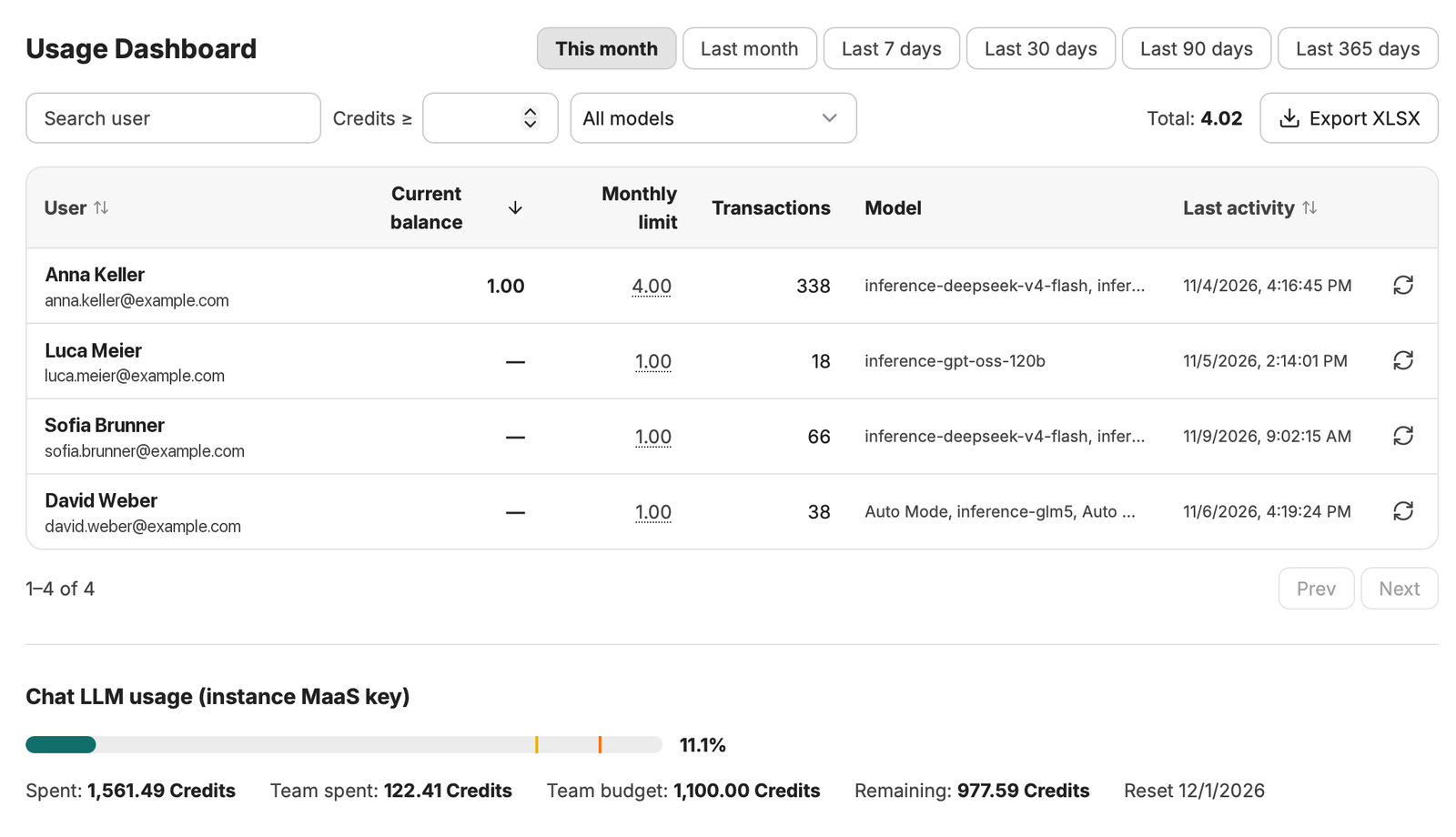
What you see
- Period: choose This month, Last month, or the last 7, 30, 90 or 365 days.
- Filters: search for a user, show only users above a number of credits (Credits ≥), or pick a model. Total is the credits used by the users shown.
- Per user: the number of Transactions (model calls), the models used and the Last activity.
- Export XLSX downloads the list as an Excel file.
Chat LLM usage at the bottom shows how much of the monthly credit budget of your instance is used, what remains and when the budget resets. Your instance draws these credits from your Base LLM API. See Base LLM API.
Credit limits per user are not available yet. Until they are, ignore the Current balance and Monthly limit columns.