
#
Start New Conversation
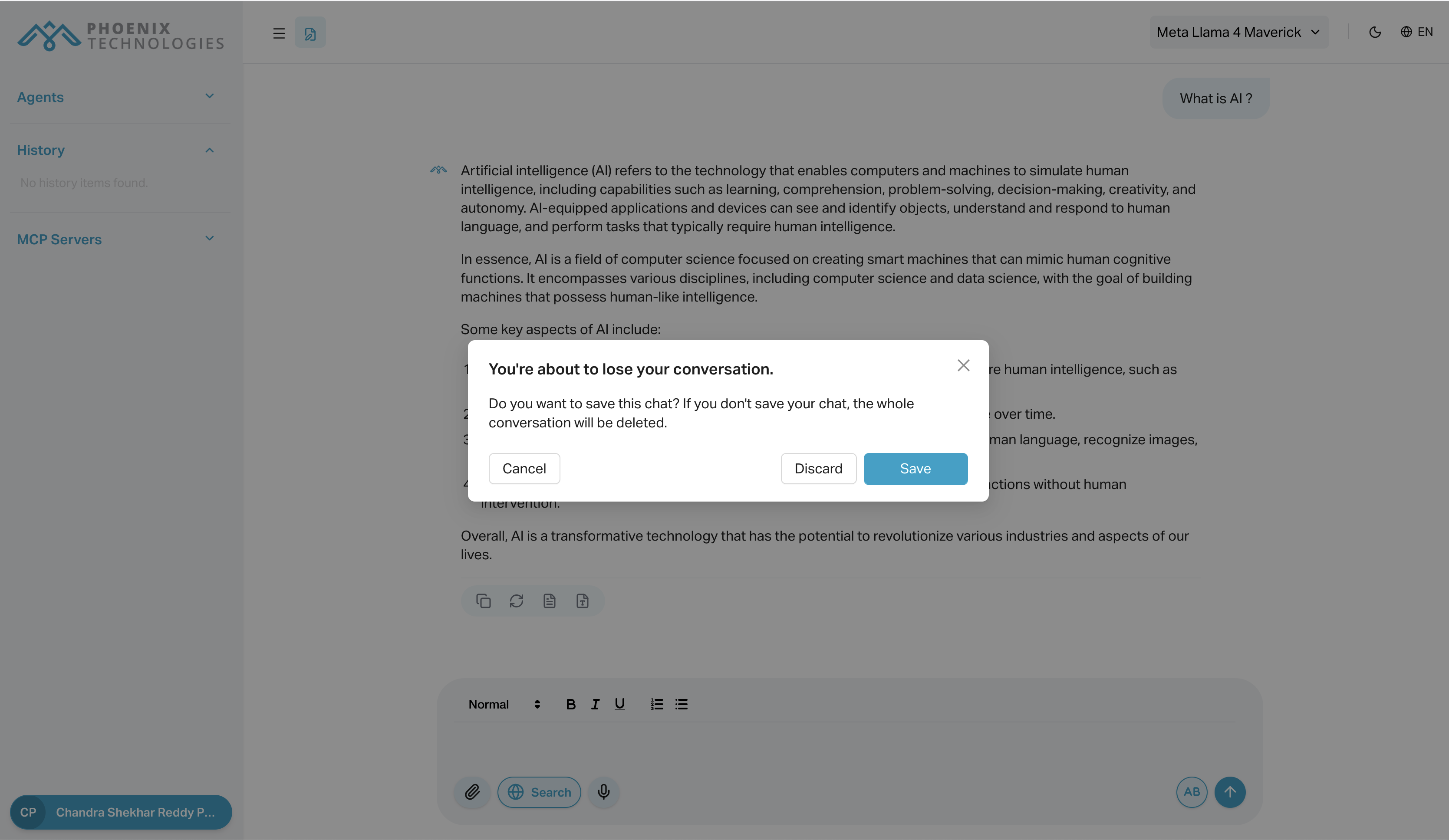
The Start New Conversation button resets the current chat window, removing all prior messages and uploaded files. It’s ideal when you want to begin fresh with the same agent.
#
Key Features
- Clears the full chat context
- Offers to save before discarding current conversation
- Removes all uploaded documents from memory
#
How to Use
- Click the "Start New Conversation" icon (pen-and-paper) in the top-left of the chat.
- A popup will prompt you to save or discard the current chat.
- After confirming, the chat will reset to a blank state.
#
Use Cases
- Begin a completely different topic or task
- Remove previous context if responses become inaccurate
- Switch use cases (e.g., from code help to summarizing a PDF)
#
Notes
- Unsaved conversations will be lost when reset
- To retain useful sessions, use the Save Conversation option in the popup